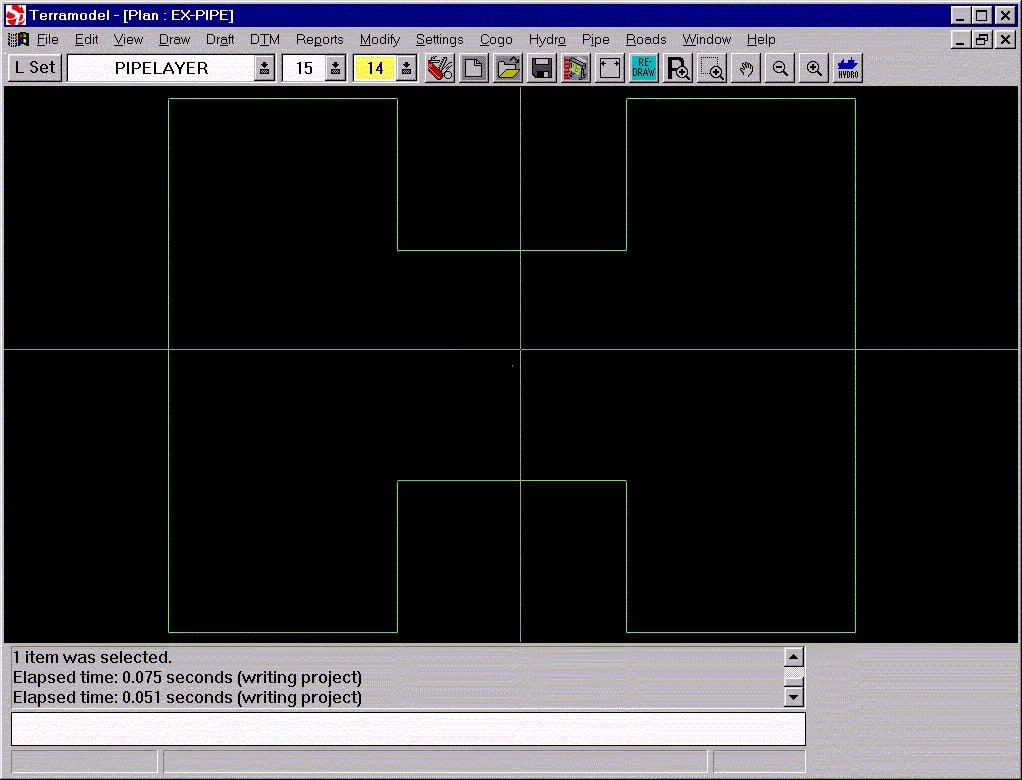
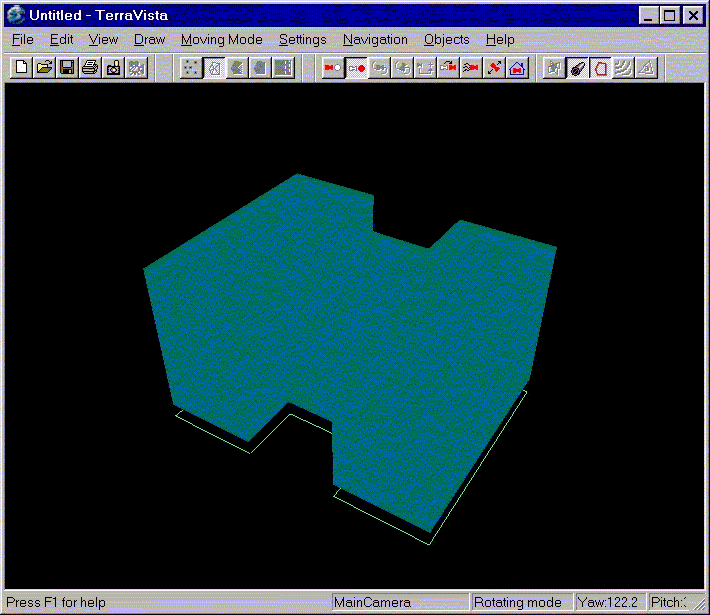
How to create a solid building in Terramodel Visualizer from its plan outline.
1. In a Terramodel project, select or
create a layer for the building pipes (eg PIPELAYER).
2. Create a (closed) SET(eg block H) for the base of the building
and give it a name (eg BUILDBASE)
3. Create 2 point vertical SET going from
the base height (eg Z=5.0) to the top (eg Z=55.0) of the building and give
it a name (eg SET buildhgt in the middle of
the H).
4. Run the TML XtoCL.tml
5. Select SET BUILDBASE (r=3) as the cross section set.
6. Select a pointlocation where the vertical SET will intersect
the building SET (eg first point in SET buildhgt).
7. Select SET buildhgt(r=16) as the centreline SET
8. Click OK
9. Save project (eg EX-PIPE.PRO)
10. Use Notepad to create a GTT text file
with the same name as the project(eg EX-PIPE.GTT)
11. Add the following line to the GTT
file:
PIPE 1.0 4 PIPELAYER buildhgt
12. Save the GTT file.
13. In Terravista, create a new
project then add this project file to it.
14. Click the Pipe Toolbar Icon to turn
on PIPES (and also SETS if required)

What can you use it
for? Buildings, Locks, Wharfs,
Jetties , Bunds, Pipelines etc.
How to create pipe in Terramodel Visualizer.
To see a
pipeline, around the building plan SET, add the following line to the GTT
file:
PIPE 2.0 10 PIPELAYER BUILDBASE
This will
create a Terramodel Visualizer PIPE around the SET BUILDBASE that has a radius of 2.0
and 10 sides (to make it look round).
Save the GTT
file then reload the Terramodel Visualizer project.
This document is copyright © Geocomp Systems Pty Ltd 2004.
For related documents see http://www.geocomp.com.au/support/nav.html